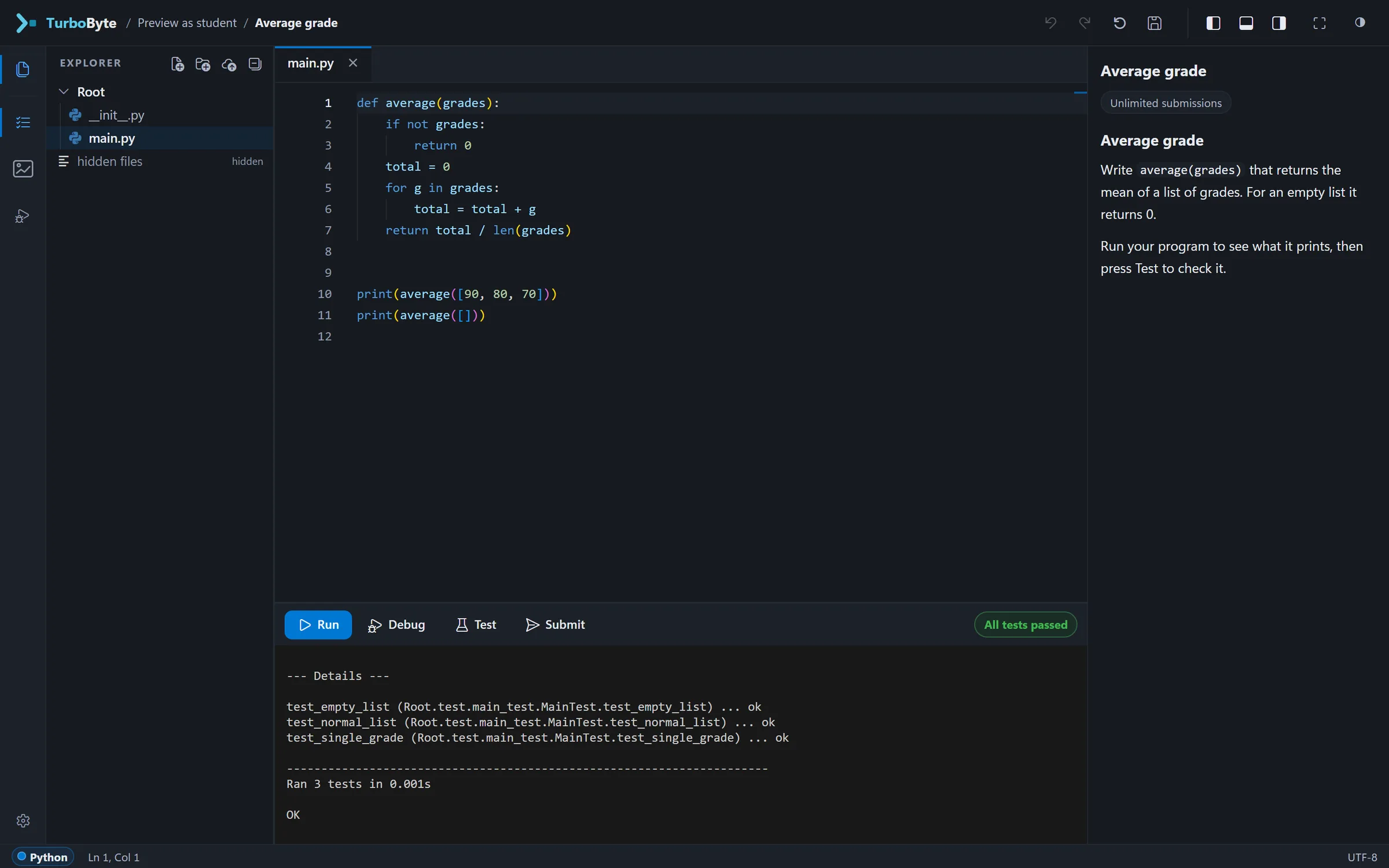
Why TurboChat asks for a Run before the next hint
TurboChat, our AI teaching assistant, is in pilot. It gives hints rather than answers, sees only what the student sees, and leaves course staff in charge of when it helps and how much. What that looks like, and why we built it that way.
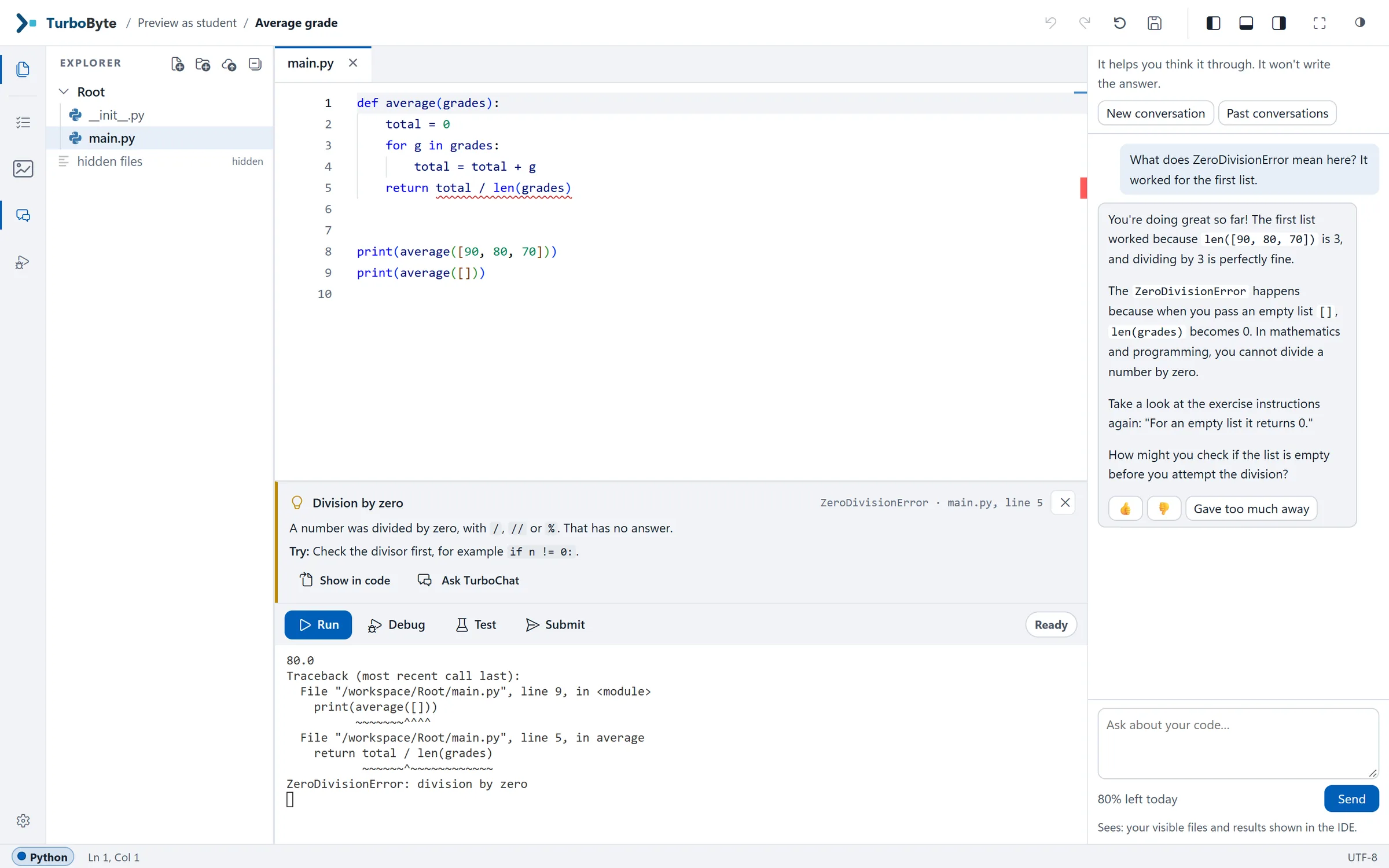
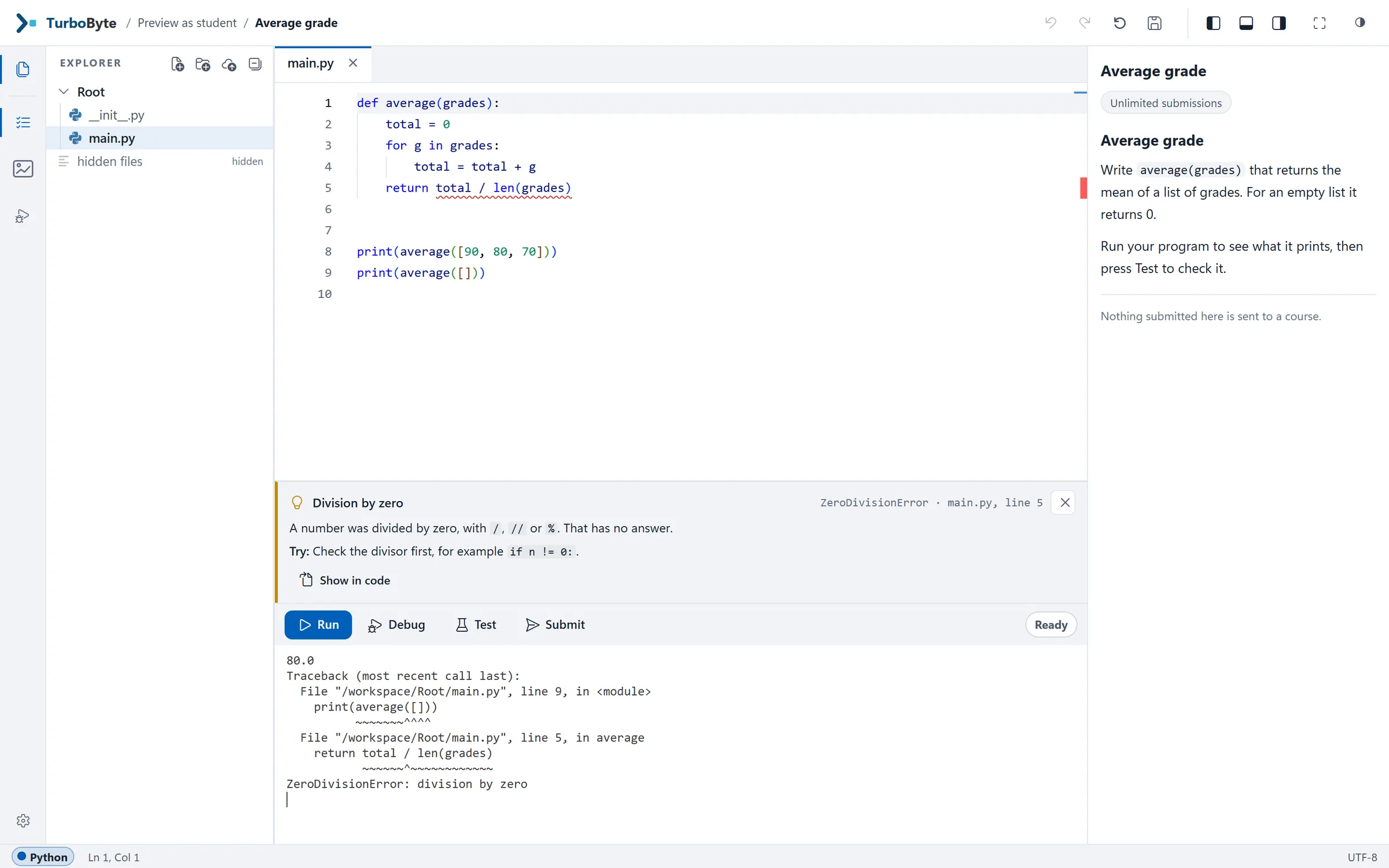
A student is working on average(grades). The first list works and the second one crashes with a ZeroDivisionError. They open the TurboChat panel beside the code and type: "What does ZeroDivisionError mean here? It worked for the first list."
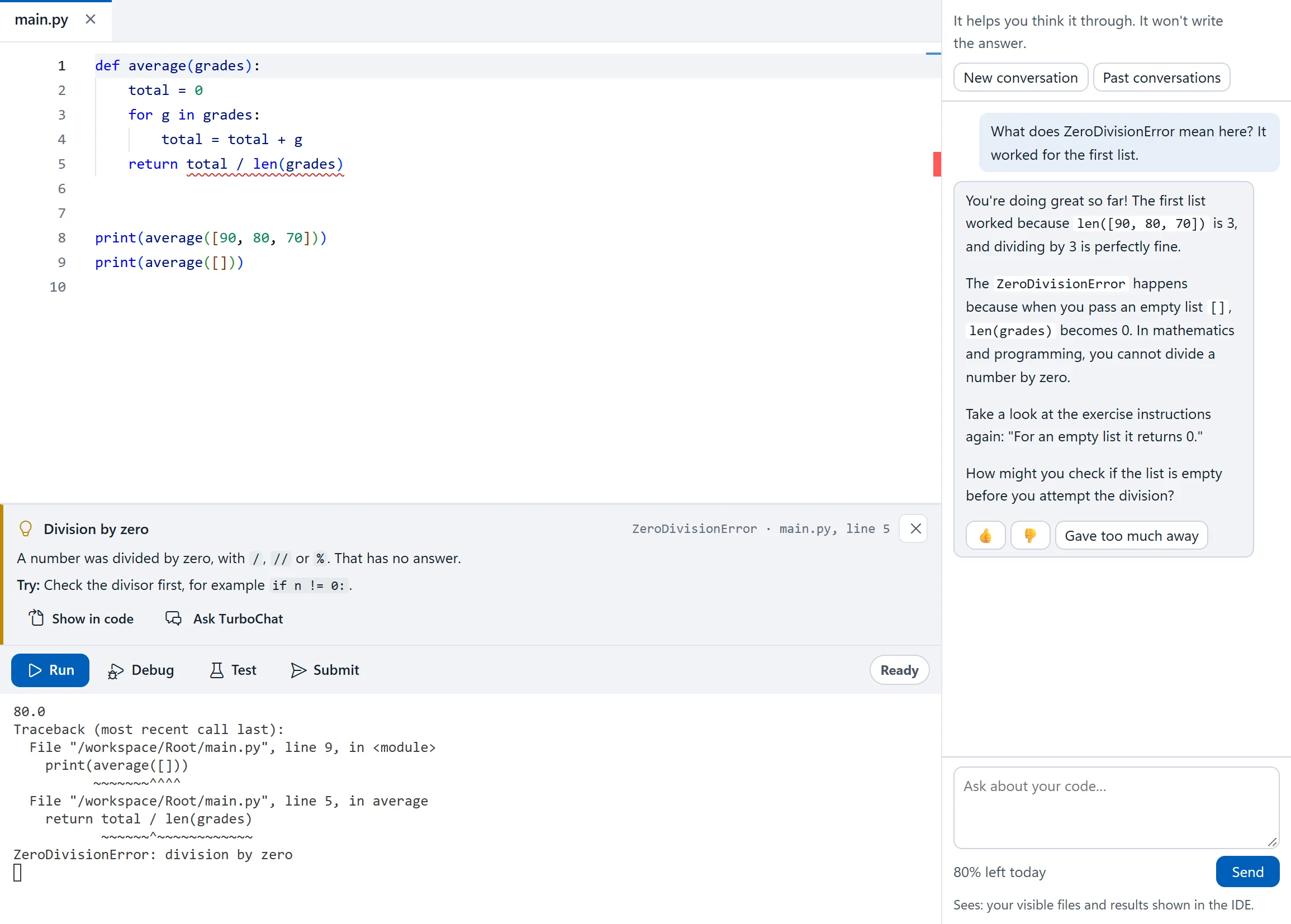
Look at what the answer does. It explains why the first list worked and the second didn't, using the student's own numbers. It sends them back to the instructions and quotes the sentence about empty lists. And it ends with a question, where the two lines of code that fix the bug could have been.
TurboChat is in pilot. It is built, and it is opening to a few courses first. This piece is about the choices behind it, because for a teaching assistant the choices matter more than the model.
A hint, then a Run
The panel opens with one line: "It helps you think it through. It won't write the answer."
A student who wants more help can ask for the next hint, but not straight away. First the panel asks them to try what they were told: "Use Run with your current code, then select Next hint." A hint the student hasn't tried is no use to them yet, and a string of hints with nothing in between is just the answer, delivered slowly.
"Won't write the answer" is the aim, and we treat it as something we measure rather than a promise. Answers in our test runs are read and checked for exactly this, and students in the pilot can mark any answer "Gave too much away".
It sees what the student sees
Each question goes with a snapshot of the student's side of the exercise: their files as they are in the editor, saved or not, the last output, the error card and the last test results. Hidden tests, the solution and any files the course keeps from students are never part of it. The panel says so in a line of its own: "Sees: your visible files and results shown in the IDE."
Course staff get two other modes. In a preview, TurboChat answers exactly as it would a student, so staff can try an exercise the way their students will meet it. In the exercise editor it does the opposite: it reads the hidden tests and the solution, and writes code if asked, which helps when preparing a course. Students never get that mode.
Course staff decide when, and how much
Setting | Choices |
|---|---|
Help level, for the course or for one exercise | Off, Concepts only, Hints, or Hints and error help |
When it can answer | Whenever it is on for the course, never, outside the submission window, or after the deadline |
Languages | English, Hebrew, or both |
So an exam can run with TurboChat silent, while a homework set has it from the first day. Each student also has a fair daily allowance, and the panel shows how much of today's is left.
It stays on the exercise
TurboChat answers questions about the exercise and the course, and turns down the rest. Abusive messages can close it to a student for a while, and course staff can open it again. A student who writes that they are struggling with more than the code gets a kind reply, one we wrote and checked ourselves rather than one the model makes up.
Two things we want to be plain about. It can be wrong: it is a pilot, and that is part of what we are measuring. And chats are not private: they are kept, and the people who run TurboByte can read them.
If you teach programming and would like your course to be part of the pilot, write to us.