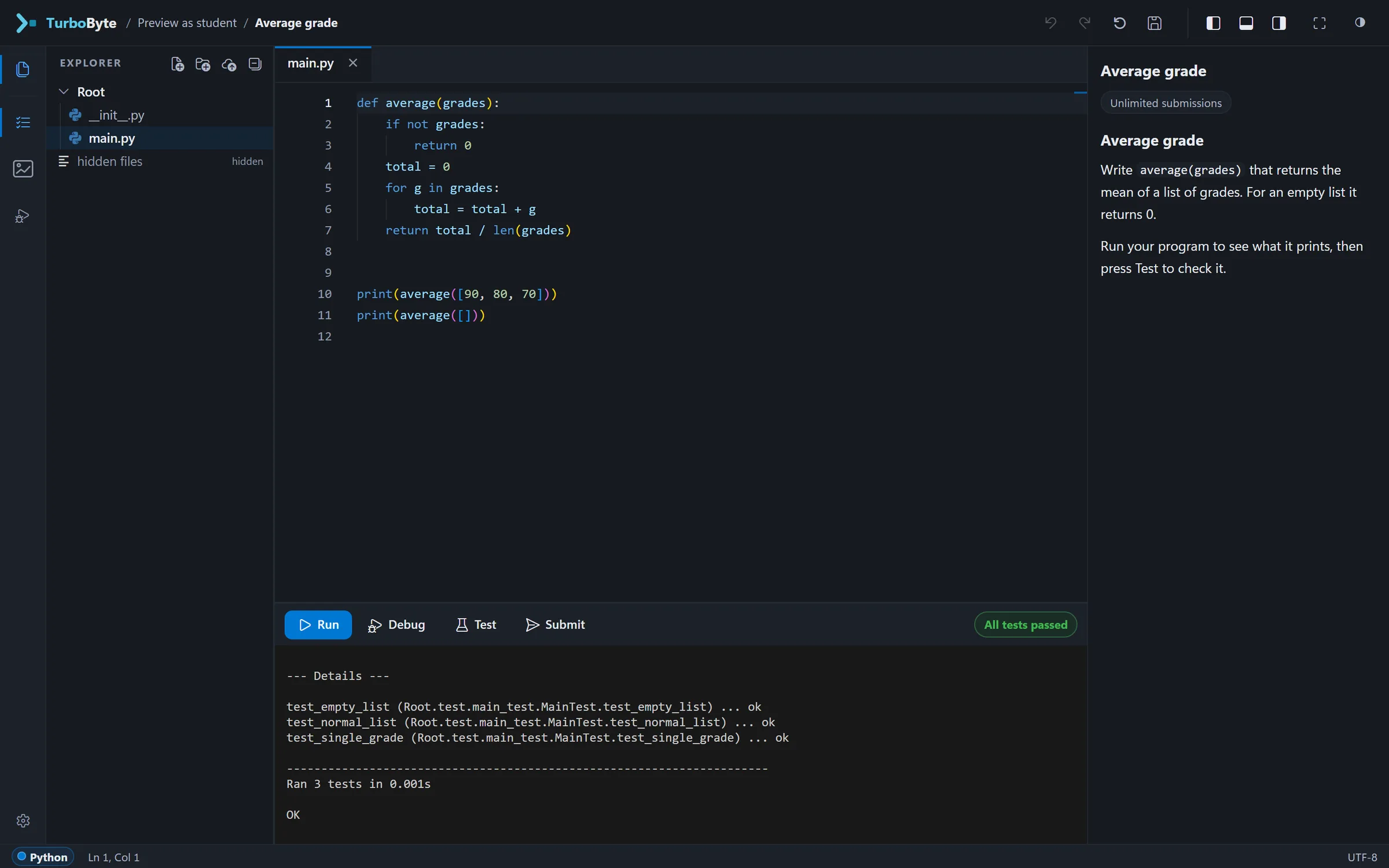
A traceback is written for people who already know Python
Python's error messages are exact, and they assume you already know what they mean. How TurboByte explains them to beginners, in plain English or Hebrew, without changing a word of what Python printed.
Here is an error almost every student meets in their first weeks of Python:
TypeError: can only concatenate str (not "int") to strEvery word of it is correct. It is also written for someone who already knows what "concatenate" means, that str and int are types, and why Python minds mixing them. A beginner who reads it learns that something went wrong. What they need is what went wrong in their own terms, where in their own code it happened, and what to look at first.
That gap is what TurboByte's error cards are for.
Python's words stay
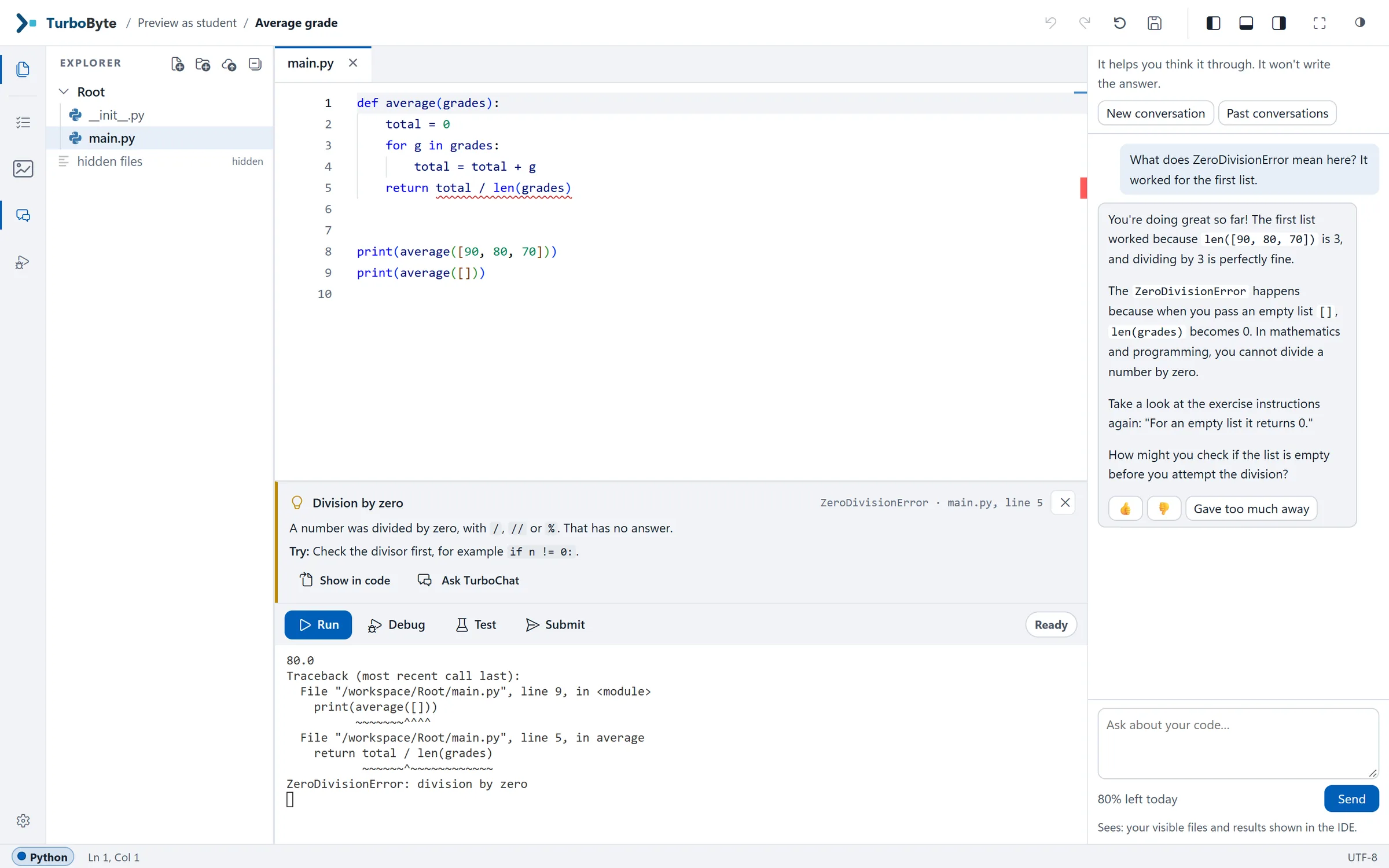
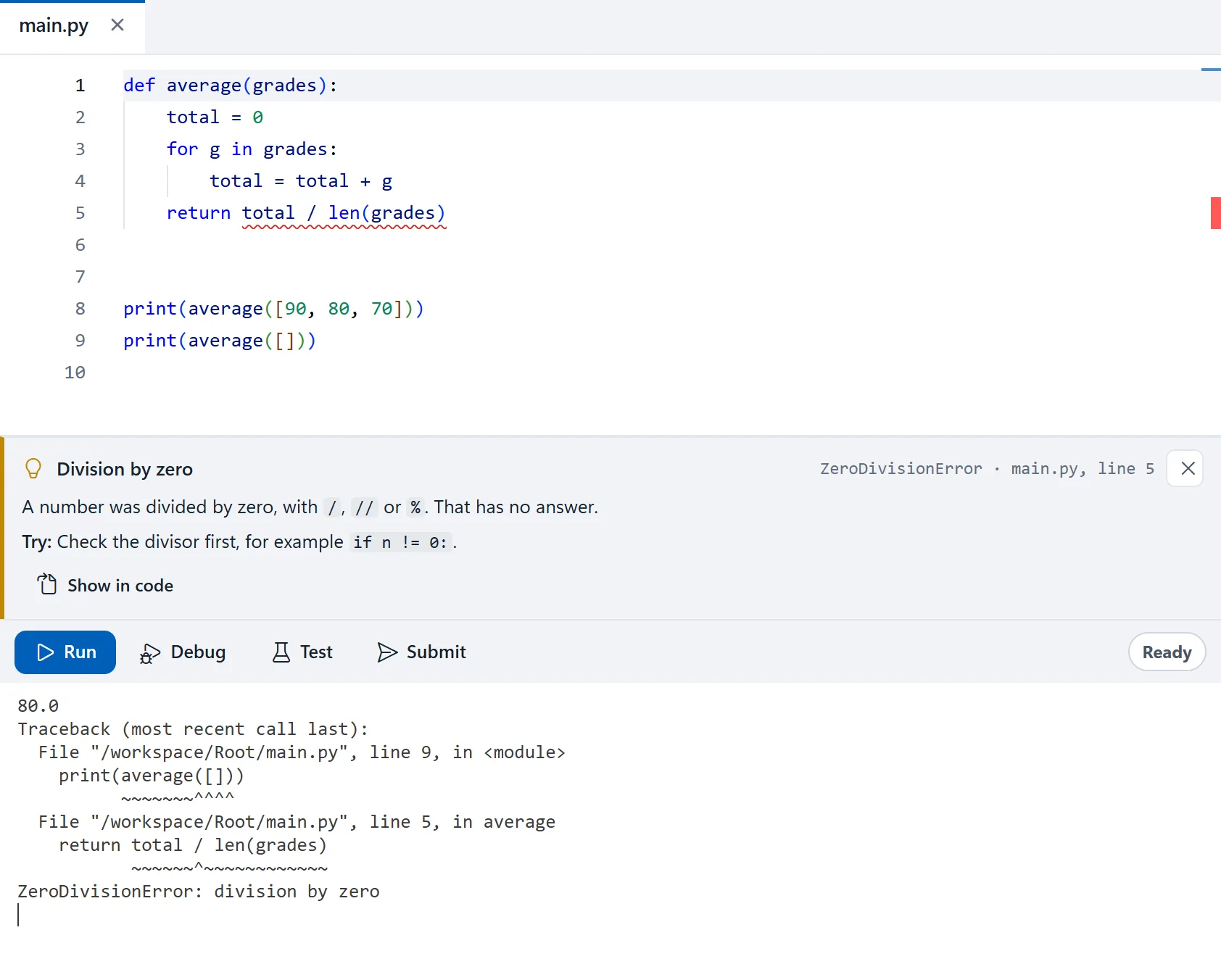
The first decision was what not to change. When a program fails, the terminal shows Python's output exactly as Python printed it, in English, as it would on any computer. Students will read tracebacks for as long as they write code, and learning to read them is part of learning to program. Hiding them behind a friendlier message would only put that off.
So the card goes underneath, as a second reading of the same error.
Three parts
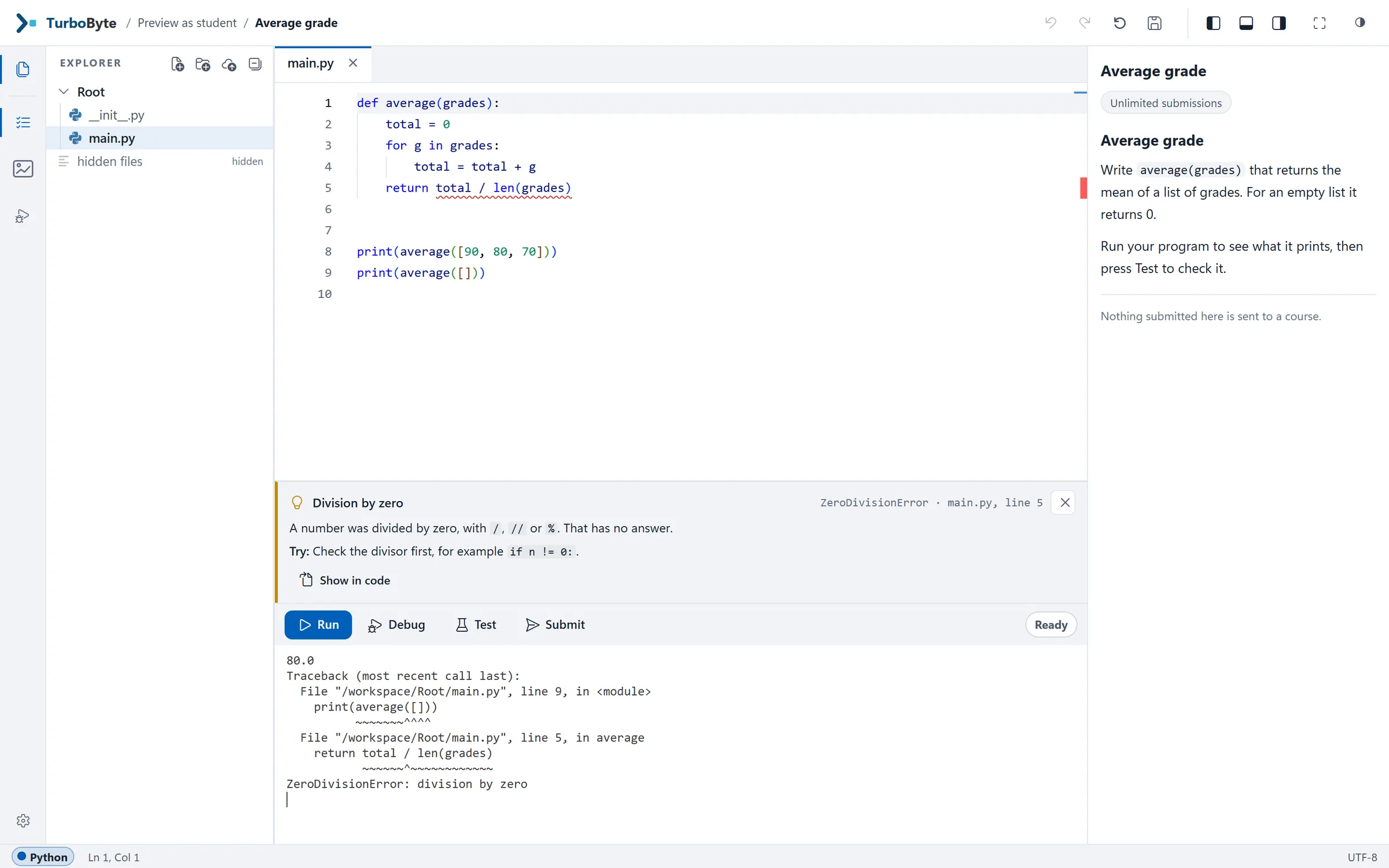
Every card has the same three parts: what happened, in plain words; where it happened, in the student's own file, with the line marked in the editor; and what to check first. For the error above, the card reads:
Text and a number were joined with
+
+can join text to text, but here one side is text and the other is anint.Turn the value into text with
str(...), or print the parts separated by commas:print("age:", age).
The difference is clearer with an error whose message is famously unhelpful. A student keeps a score and writes a function to add a point:
count = 0

def add_point():
    count = count + 1

add_point()
Python answers:
UnboundLocalError: cannot access local variable 'count' where it is not associated with a valueThe student can see count = 0 two lines up. As far as they can tell, it has a value. The card explains what Python is actually complaining about:
countis used before it gets a valueThis function gives
counta value somewhere, so inside itcountis the function's own variable, separate from anycountoutside. Here it is read before the function has given it a value.Give
counta value inside the function first, or pass it in as a parameter and return the new value.
That is roughly what a teaching assistant would say, leaning over the student's shoulder. The card says it at the moment of the error, at any hour.
Rules, not a model
We could have sent every error to a language model and shown whatever came back. For the cards, we decided against it. Each explanation is a fixed rule, written by hand and checked against what Python actually prints. That buys three things:
The same mistake always gets the same words. A teacher knows exactly what students were told, and two students comparing notes see the same explanation.
It is there on every Run, at once, with no queue and no daily limit.
It cannot make up a cause that isn't there.
When an error matches no specific rule, the card falls back to a general explanation of that kind of error instead of guessing. (TurboByte's AI assistant, TurboChat, is a separate thing, and it is in pilot.)
In Hebrew too
Students choose English or Hebrew for the explanations. In Hebrew the card reads from right to left, while the code and Python's own message stay as they are, left to right.
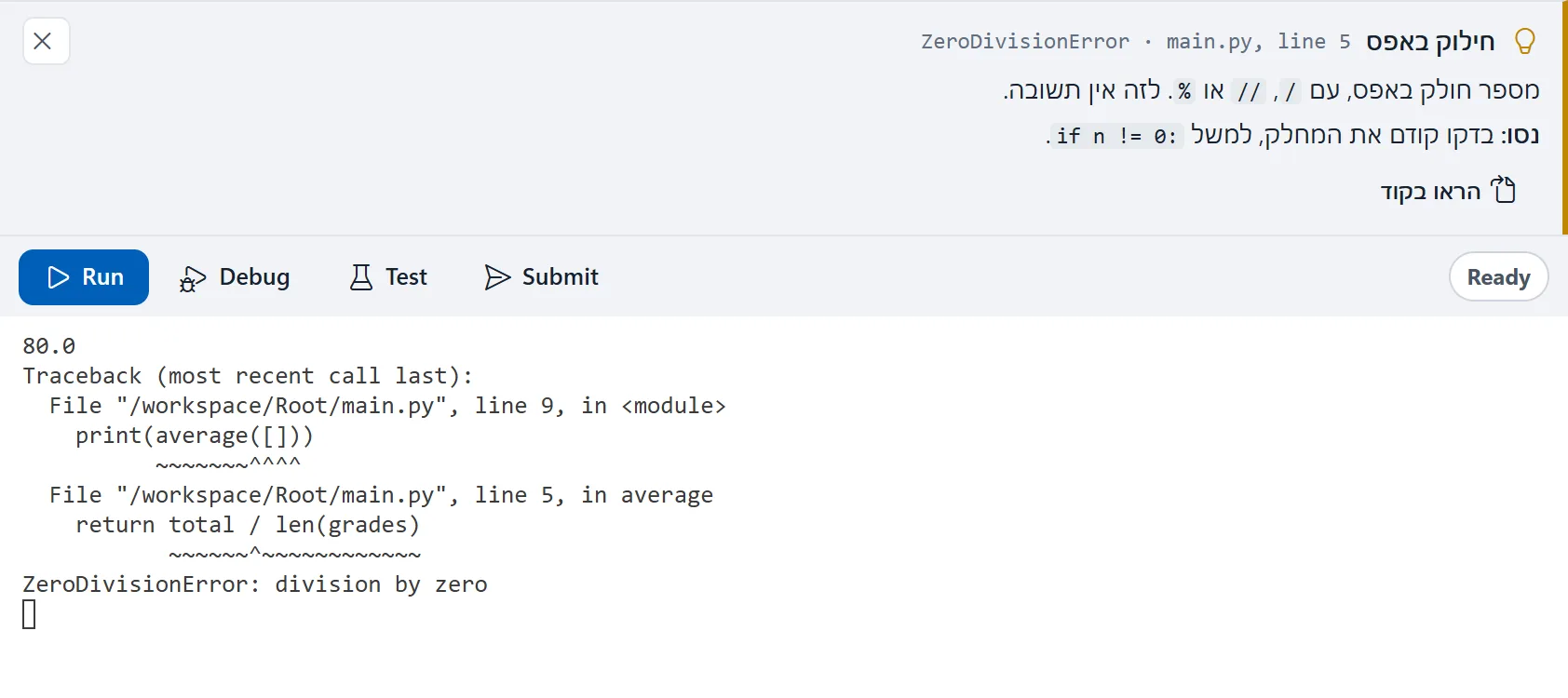
What a card won't do
It won't fix the code, and it doesn't try to. It also has nothing to say about a program that runs without an error and prints the wrong answer, which is a good share of a beginner's bugs. For those there is Test, which shows which check failed, and the debugger, which walks through the program one step at a time. Here is one exercise going through all of them.
Course staff choose where the cards appear (in Run only, or in Run, Test and Submit, or not at all) and whether the editor underlines the line the error came from.