What happens between Run and Submit
One small Python exercise, followed through the TurboByte IDE: the first Run, the first error, the debugger, the practice tests, and the Submit that sends a grade back to the course.
Most of what a student learns in a programming course happens between reading the task and handing it in. They write something, run it, find out it's wrong, and try again. We built the TurboByte IDE around those minutes, so the clearest way to show it is to follow one exercise through them.
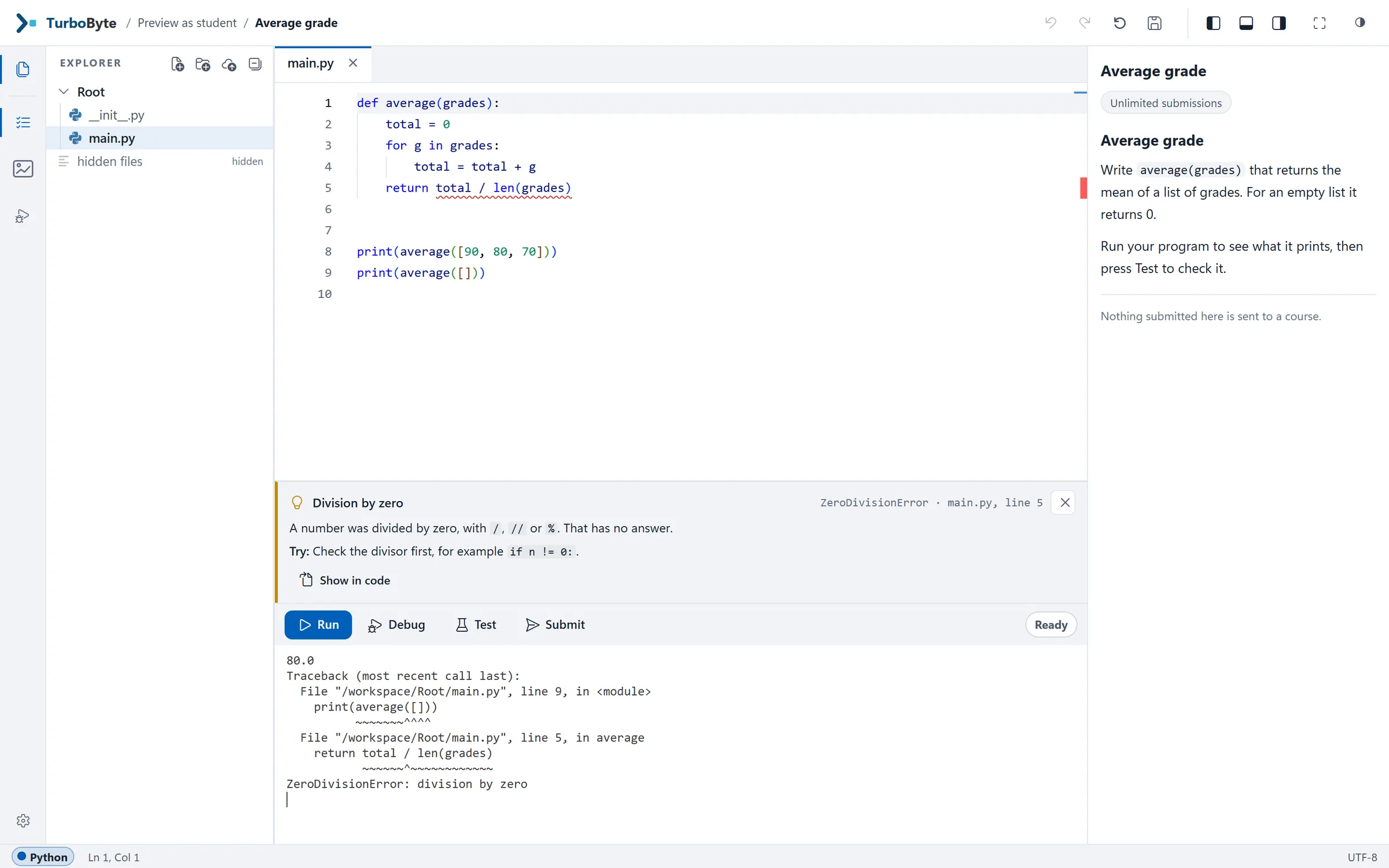
The exercise is a small one. Write average(grades), which returns the mean of a list of grades, and 0 when the list is empty. Here is the kind of first attempt every Python teacher has seen:
def average(grades):
    total = 0
    for g in grades:
        total = total + g
    return total / len(grades)


print(average([90, 80, 70]))
print(average([]))
Nothing in it looks wrong. That is rather the point of the exercise.
It opens in the lesson
TurboByte opens inside the course page, under the video or the reading it belongs to. There is nothing to install, and students don't sign in to a second site. Their files are on the left, the editor is in the middle, and the task is on the right, as the course staff wrote it: headings, code, tables and pictures, in English, or in Hebrew from right to left.
Run
Run does what it says. The program runs on the server, in a sandbox of its own, and whatever it prints appears in the terminal under the code. Our attempt prints 80.0 for the first list, which is right, and then stops:
Traceback (most recent call last):
  File "/workspace/Root/main.py", line 9, in <module>
    print(average([]))
          ~~~~~~~^^^^
  File "/workspace/Root/main.py", line 5, in average
    return total / len(grades)
           ~~~~~~^~~~~~~~~~~~~
ZeroDivisionError: division by zero
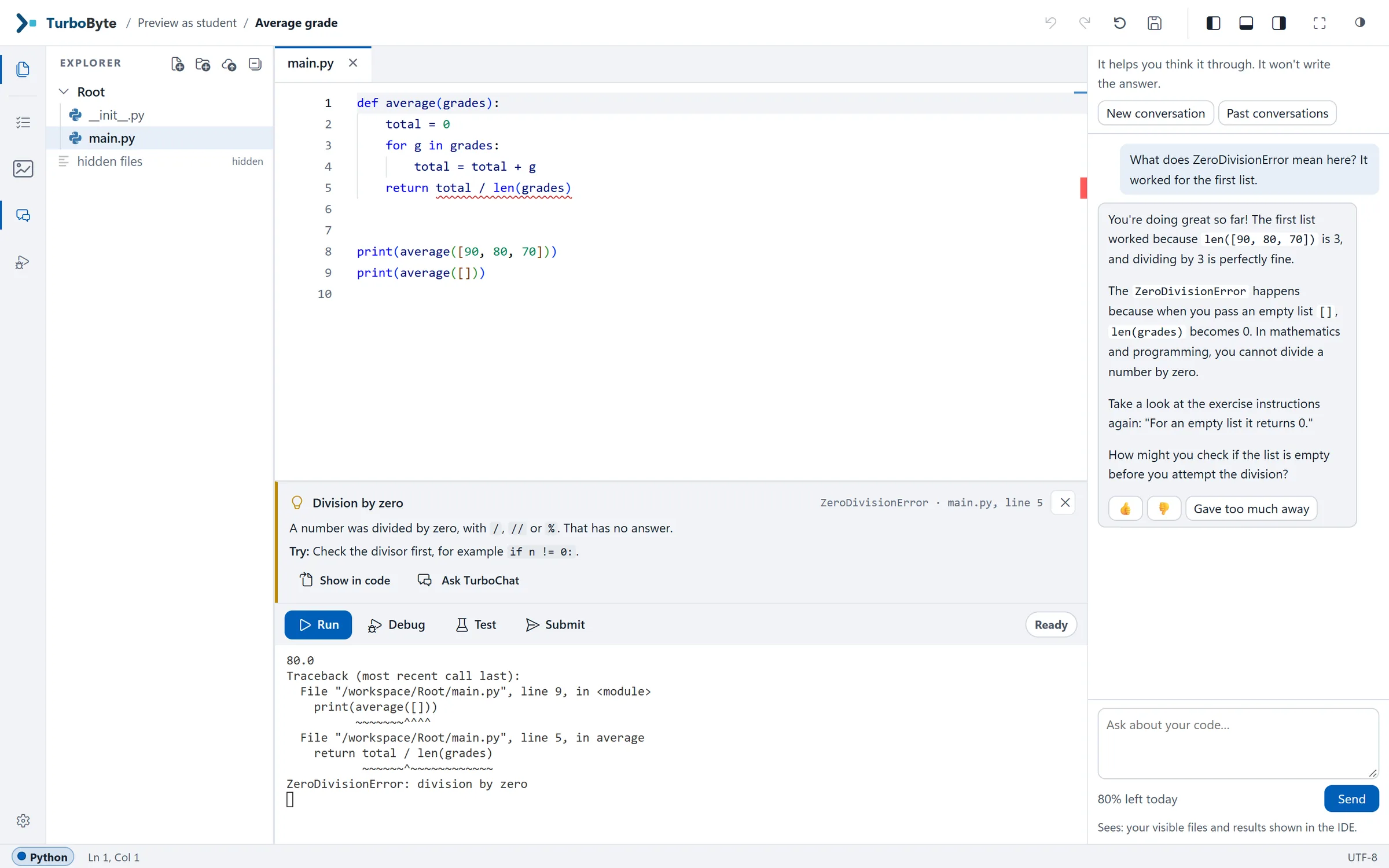
Python is being precise, and to someone who has programmed for a year that is enough. To a student in their third week it raises more questions than it answers. So TurboByte leaves Python's output exactly as it is and adds a short card under it.
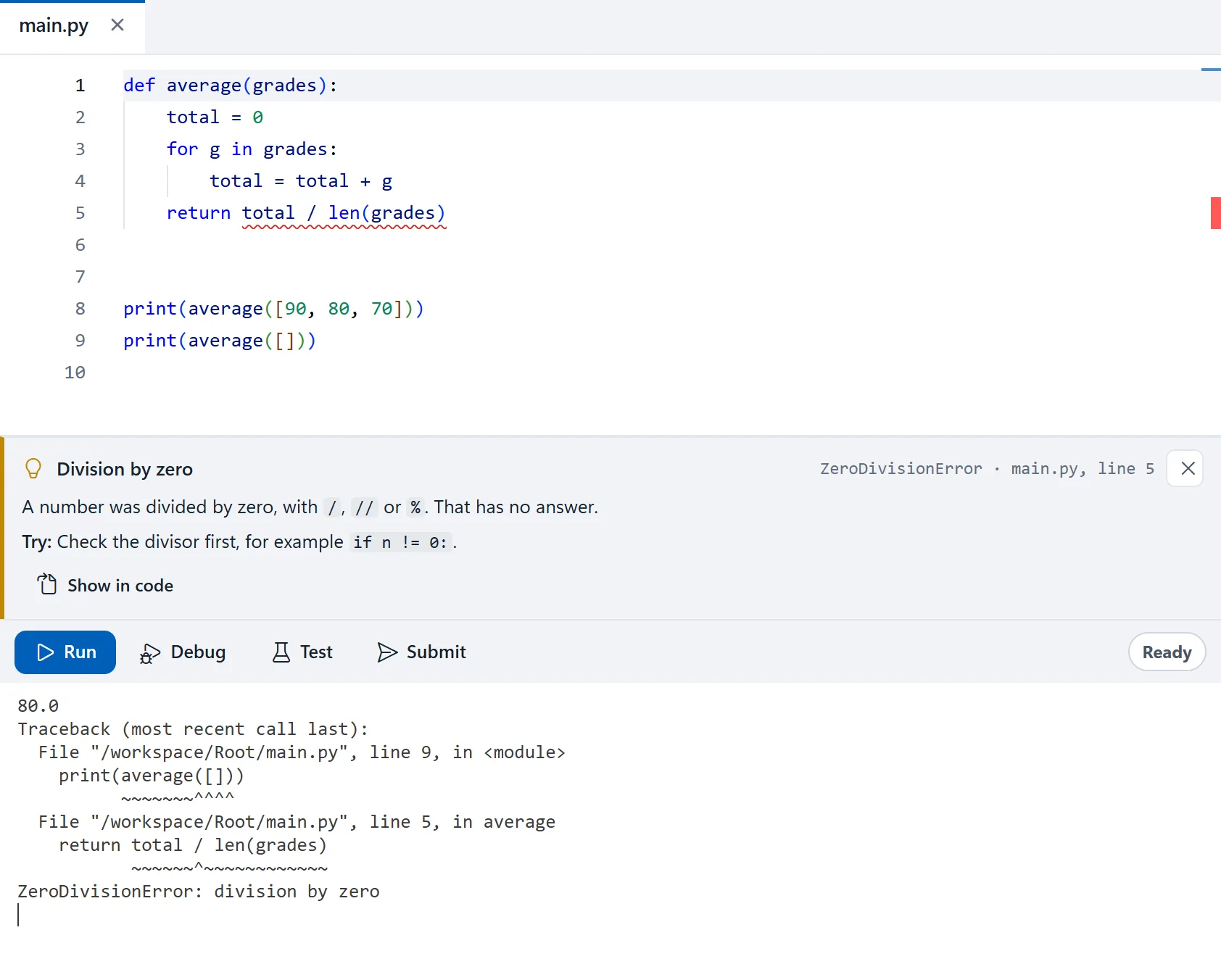
The card says that a number was divided by zero, that this has no answer, and that it happened on line 5. It suggests checking the divisor first. It does not fix the code. The explanations are written by hand, as fixed rules for the errors beginners actually run into, so the same mistake always gets the same explanation, and no AI is involved. Students read them in English or in Hebrew. We wrote more about how the cards work.
Step through it
Some bugs only make sense when you watch the program move. Debug runs the same code one step at a time. At each step it marks the line, shows the variables, and says in one sentence what just happened. On the second pass through the loop it reads: "The loop takes the next item: g is now 80." It goes backwards as easily as forwards.
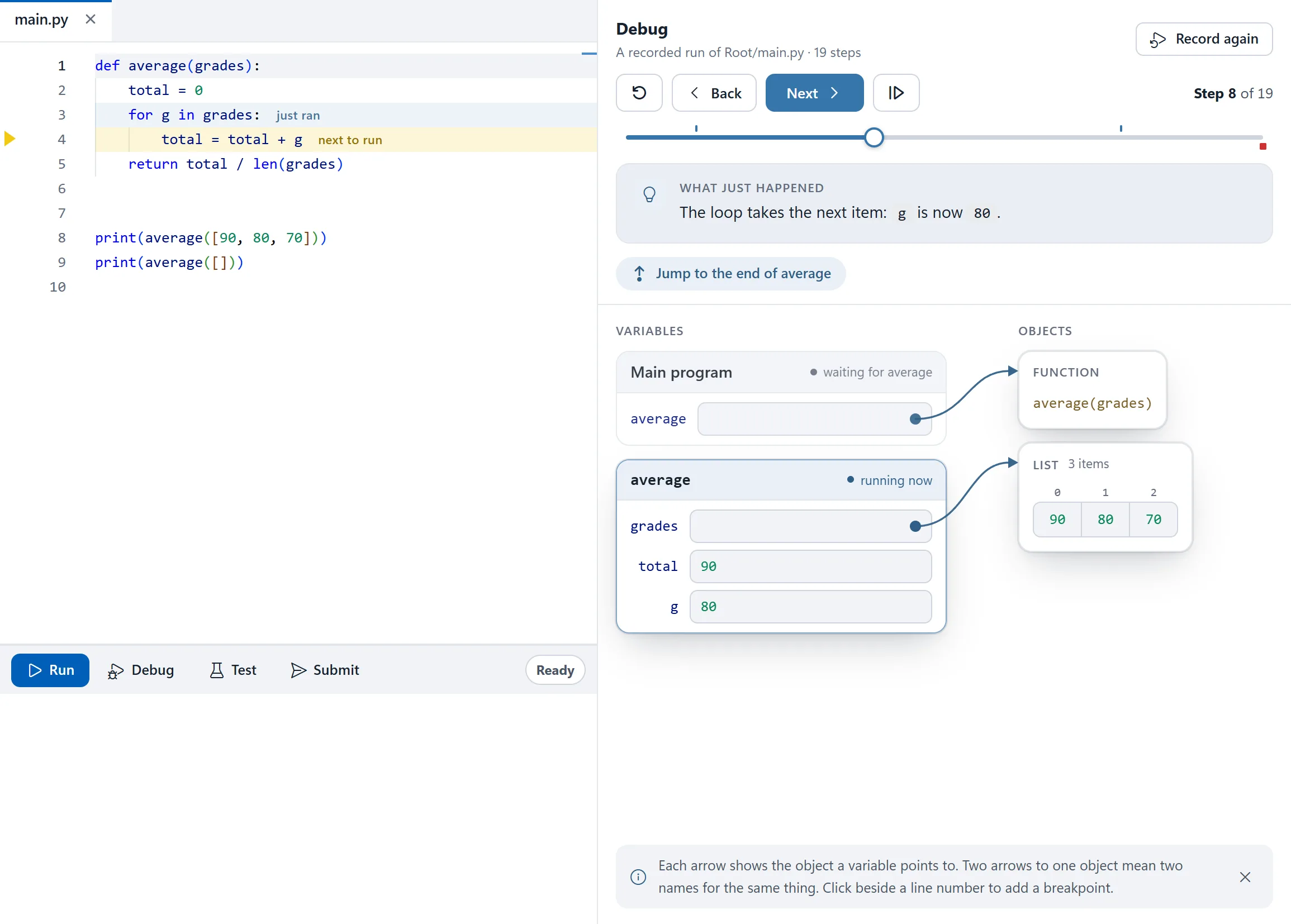
This is usually where students find the bug on their own. On the second call the loop never runs, total is still 0, and line 5 divides it by len(grades), which is 0 as well.
Test as often as you like
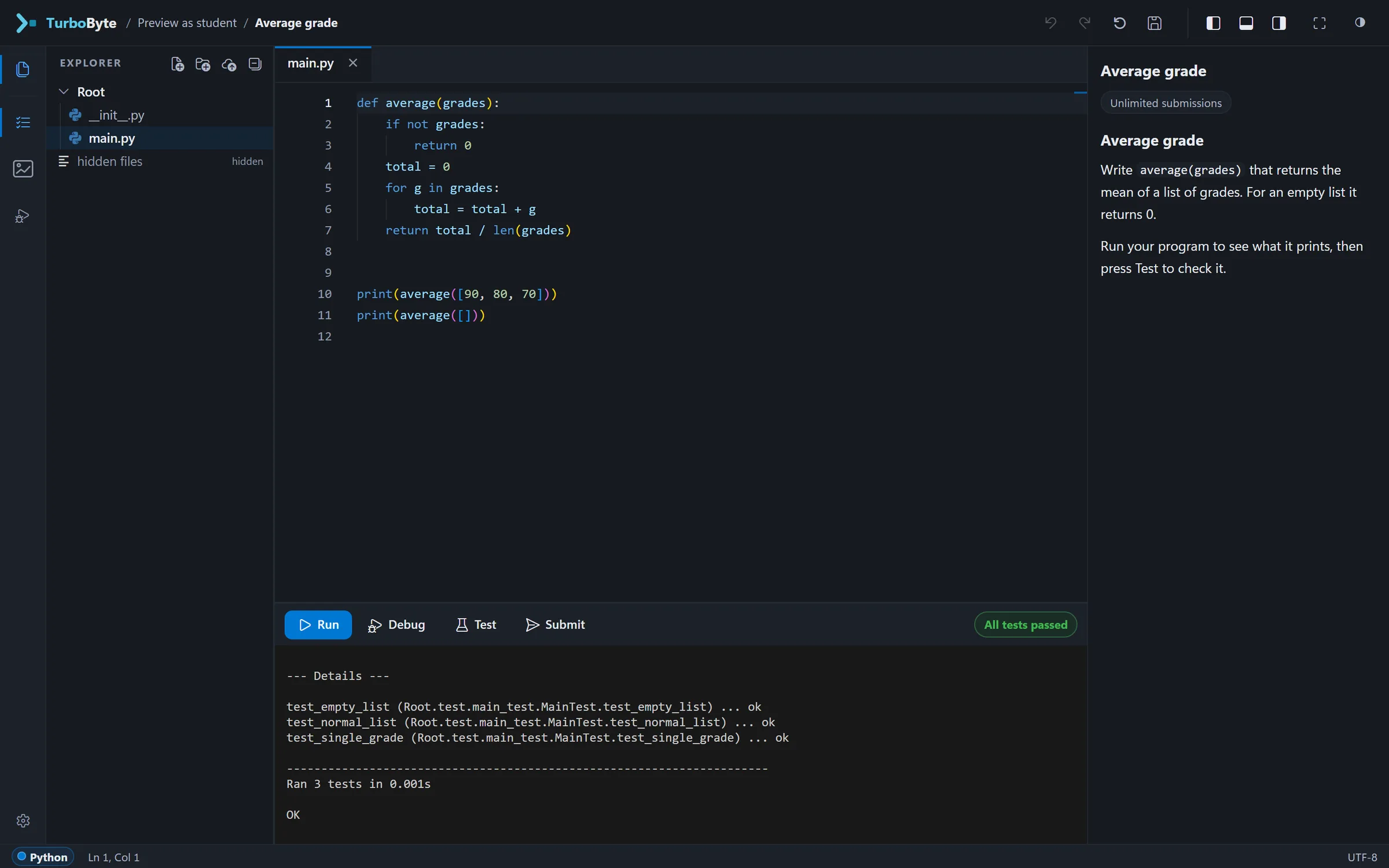
Test runs the checks the course staff wrote for the exercise. Students can press it as often as they want, and nothing goes to the course. Each check reports on its own, so a student who passes two out of three knows which case is still wrong.
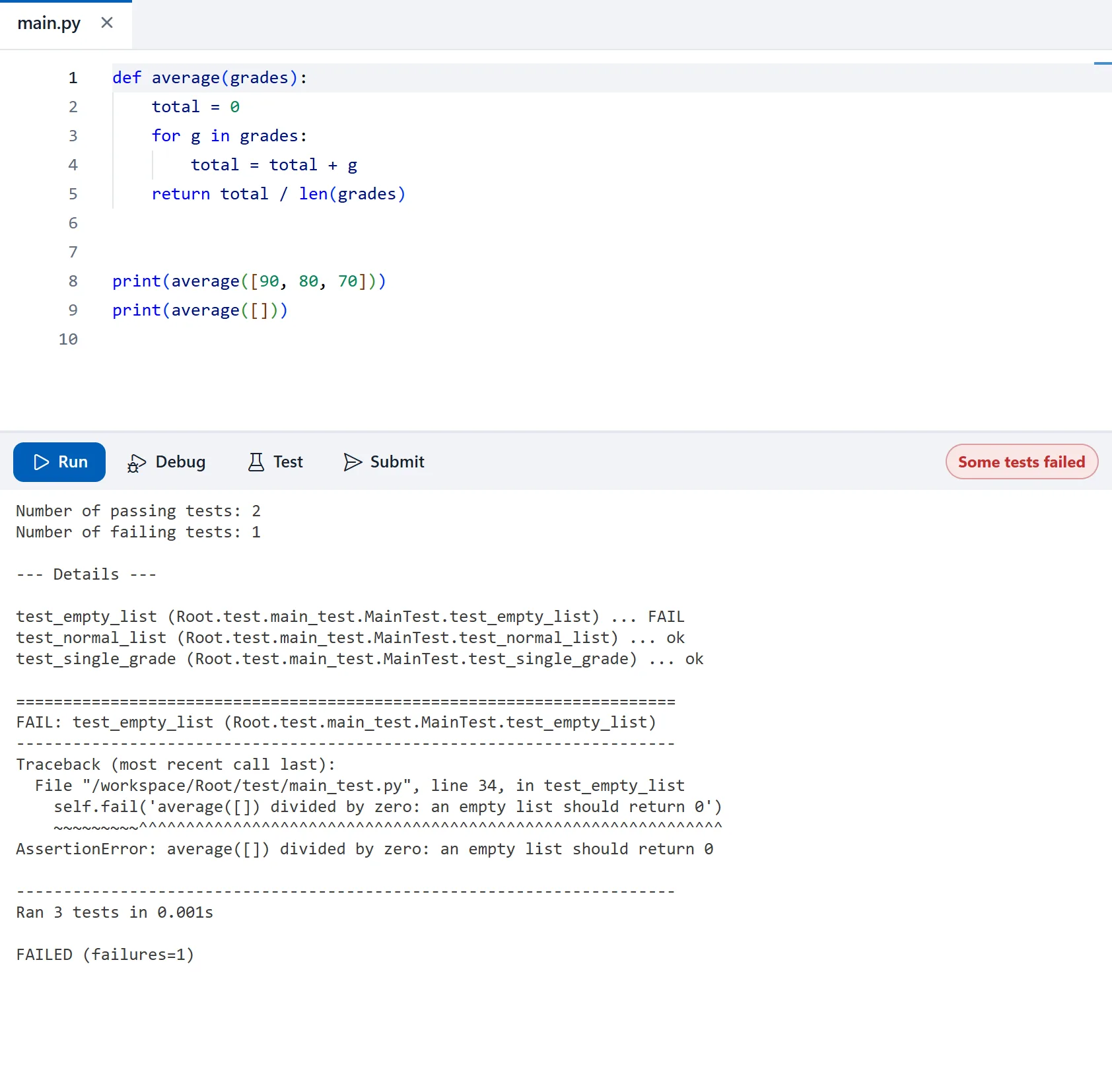
The test files stay hidden. Students see each check's name, whether it passed, and the message the course staff wrote for a failure, and checks marked as protected never reach the browser at all.
Submit is the one that counts
The fix is two lines at the top of the function:
def average(grades):
    if not grades:
        return 0
    total = 0
    for g in grades:
        total = total + g
    return total / len(grades)
Submit runs the checks again, on the server, and sends the grade to the course's gradebook, so nobody copies numbers from one system to another. Partial work gets partial credit, and the feedback goes with it. Course staff set the rules around it: deadlines, late work and extensions, and whether the latest submission counts or the highest score.
For the people teaching
Behind the IDE is a console for course staff. Owners, instructors and TAs share a course and edit its exercises together: each of them sees who else is editing, and can compare before overwriting someone's work. They can hold grades and regrade, and courses that ran on Codeboard can bring their projects over with the course's links still working.
TurboByte runs Python today. Other languages, programs that ask for input, and a terminal for learning the command line are on the way, and the features page marks each one as it really is. If you teach programming and would like to try it with your course, write to us.